
Business Process Automation in New Zealand: How Excel, VBA, and Workflow Automation Improve Enterprise Efficiency
- Mathew
- 2 days ago
- 4 min read
Introduction: Transforming Business Operations Through Automation
New Zealand businesses are operating in an increasingly data-driven environment where efficiency, accuracy, and scalability are essential for long-term success. Many organisations still rely on manual processes, disconnected spreadsheets, repetitive reporting tasks, and time-consuming workflows that create operational delays and increase the risk of errors.
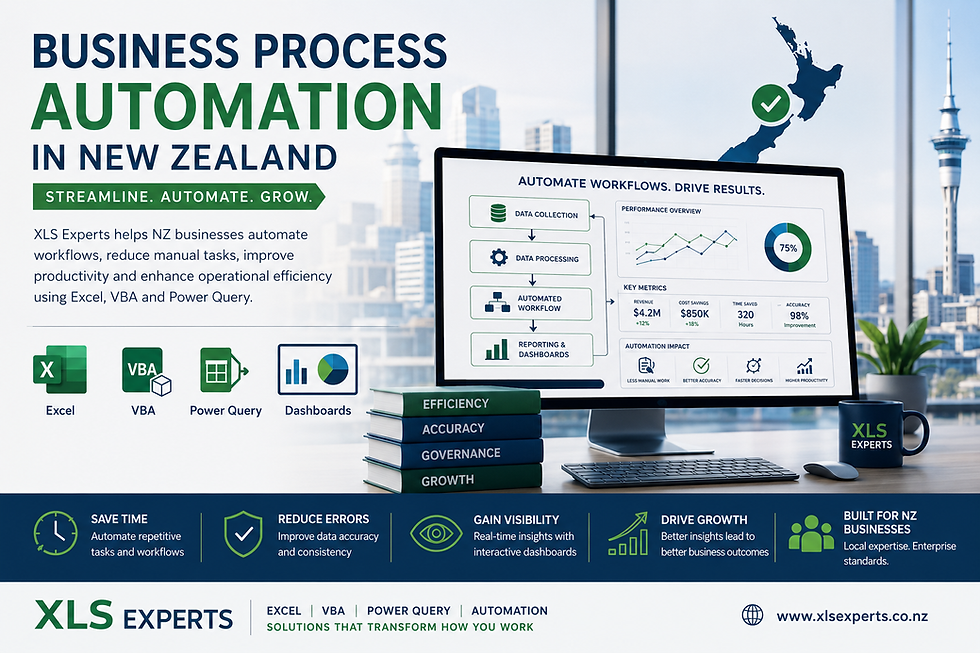
Business process automation helps organisations streamline these activities by combining structured workflows, advanced Excel solutions, VBA automation, Power Query, dashboards, and system integrations. Instead of replacing existing business systems, automation enhances current processes by improving reliability, visibility, and decision-making.
For enterprise teams across finance, operations, IT, and project management, professionally designed Excel automation solutions can provide a practical way to optimise processes without the cost and complexity of large-scale system redevelopment.
XLS Experts helps New Zealand businesses create reliable Excel applications, automated reporting systems, workflow solutions, and data management tools designed for scalable business operations.
What Is Business Process Automation?
Business process automation is the use of technology to automate repetitive, rule-based business activities that are traditionally completed manually.
In a business environment, automation can include:
Automated reporting workflows
Data collection and consolidation
Financial modelling processes
Dashboard generation
Document creation
Data validation systems
Approval workflows
ERP and database data processing
For many organisations, automation begins with improving existing Excel-based processes. Advanced Excel solutions using VBA, Power Query, and structured templates can transform manual spreadsheets into controlled business applications.
Why Are New Zealand Businesses Investing in Process Automation?
Reducing Manual Work and Operational Risk
Manual data handling creates several business challenges:
Increased risk of human errors
Inconsistent reporting formats
Delayed decision-making
Dependency on individual employees
Difficulty maintaining processes during organisational changes
Automation reduces these risks by creating standardised workflows where information is processed consistently every time.
For example, a manually prepared monthly management report may require multiple teams to collect data, clean information, update formulas, and prepare presentations. An automated reporting solution can complete many of these steps through predefined processes, improving accuracy and saving valuable time.
How Can Excel and VBA Support Business Process Automation?
Excel as a Business Automation Platform
Excel is often viewed as a simple spreadsheet tool, but in enterprise environments it can become a powerful operational platform when professionally developed.
Advanced Excel automation can include:
Automated data processing
Dynamic dashboards
Custom reporting tools
Workflow management systems
Financial analysis applications
Business calculators
Data quality checks
With the right structure, Excel solutions can support departments that need flexibility while maintaining governance and control.
The Role of VBA in Enterprise Automation
VBA (Visual Basic for Applications) allows businesses to create customised automation inside Microsoft Excel.
VBA solutions can automate tasks such as:
Combining data from multiple files
Generating reports automatically
Creating formatted documents
Updating dashboards
Running complex calculations
Managing repetitive administrative tasks
Instead of employees spending hours performing repetitive actions, VBA automation allows teams to focus on analysis, planning, and higher-value activities.
What Business Processes Can Be Automated?
Automated Reporting and Dashboards
Reporting is one of the most common areas where organisations benefit from automation.
Businesses often need information from multiple sources, including:
Excel files
Databases
Internal systems
Operational reports
Financial platforms
An automated reporting solution can collect, transform, and present information through interactive dashboards.
Benefits include:
Faster access to business insights
Consistent reporting standards
Improved management visibility
Reduced reporting workload
Data Management and Consolidation
Large organisations frequently manage information across multiple departments and systems.
Manual consolidation creates challenges such as:
Duplicate information
Incorrect formatting
Missing records
Time-consuming reviews
Excel automation with Power Query and VBA can streamline data preparation by automatically importing, cleaning, and organising information.
This creates a more reliable data foundation for operational and strategic decisions.
Workflow Automation for Business Teams
Many internal processes involve repetitive steps, approvals, and document handling.
Examples include:
Request tracking
Budget approvals
Inventory monitoring
Project reporting
Compliance documentation
Automated workflows ensure processes follow defined rules while improving transparency and accountability.
Is Excel Automation Better Than Building a New System?
Many organisations consider whether they should replace spreadsheet-based processes with custom software or ERP modifications.
However, Excel automation can often provide significant value when:
Existing systems already store required information
Teams need flexible reporting tools
A full software project would be expensive
Processes require frequent adjustments
A professionally designed Excel automation solution can act as a practical bridge between existing systems and future technology investments.
The goal is not simply creating spreadsheets. It is developing maintainable business tools with proper structure, controls, and documentation.
How Does Business Automation Integrate With ERP and Existing Systems?
Enterprise automation does not always require replacing current platforms.
Excel automation solutions can work alongside:
ERP systems
Finance software
Databases
CRM platforms
Data warehouses
Using tools such as Power Query, VBA, and structured data connections, businesses can create automated workflows that move information efficiently between systems.
This approach helps organisations improve processes while protecting existing technology investments.
What Are the Key Benefits of Business Process Automation?
Improved Efficiency
Automation reduces repetitive manual tasks, allowing teams to complete work faster and with fewer resources.
Better Accuracy
Automated calculations, validations, and reporting reduce the possibility of errors caused by manual handling.
Increased Visibility
Dashboards and automated reports provide decision-makers with clearer operational insights.
Scalability
Well-designed automation solutions can support growing data volumes and changing business requirements.
Stronger Governance
Controlled processes improve consistency, documentation, and audit readiness.
How Can an Excel Automation Expert Help Your Business?
Successful automation requires more than technical skills. It requires understanding business processes, data structures, and operational requirements.
An experienced Excel automation partner can help with:
Reviewing existing workflows
Identifying automation opportunities
Designing scalable Excel solutions
Developing VBA applications
Creating Power Query data models
Building management dashboards
Improving reporting systems
The result is a reliable business solution designed around real operational needs.
Choosing the Right Automation Approach
Every organisation has different requirements. Effective automation starts with understanding:
Current challenges
Existing systems
Business objectives
Reporting needs
Future growth plans
A structured approach ensures automation delivers measurable improvements rather than creating another disconnected tool.
Businesses should focus on solutions that are:
Easy to maintain
Secure and controlled
Flexible for future changes
Aligned with business processes
Conclusion: Building Smarter Business Operations in New Zealand
Business process automation is becoming an essential strategy for New Zealand organisations looking to improve efficiency, reduce operational risk, and make better decisions.
Excel, VBA, Power Query, and automation solutions provide businesses with practical tools to streamline workflows, enhance reporting, and improve productivity without unnecessary complexity.
XLS Experts helps organisations design professional automation solutions that transform manual processes into reliable, scalable business systems. Whether improving reporting, integrating data, or automating workflows, the right solution can create measurable operational value.


Comments