
Supercharge Your Auckland Business: How to Streamline Excel Processes
- Mathew
- Aug 7, 2025
- 4 min read
For many small businesses in Auckland, Excel is the backbone of their operations. It's used for everything from tracking inventory and managing budgets to analysing sales data and creating reports. But if you're spending hours on manual data entry, complex calculations, and repetitive tasks, your spreadsheet is working against you, not for you. The good news? You can transform Excel from a time sink into a productivity powerhouse.

By streamlining your Excel processes, you can save significant time and money, reduce human error, and gain clearer insights into your business. For small businesses in Auckland, this isn't just about efficiency—it's about staying competitive and having more time to focus on what you do best. Here’s how you can get started.
💡 The Problem with Manual Processes
The most common pitfalls small businesses face with Excel are rooted in manual processes. These include:
Repetitive Data Entry: Re-keying information from one spreadsheet to another is not only tedious but also a breeding ground for mistakes. One typo can throw off an entire report.
Complex and Fragile Formulas: Overly complex formulas can be difficult to debug and a nightmare to update. When a team member leaves, their unique spreadsheet system can become a confusing, unusable relic.
Lack of Automation: Without automation, tasks like generating monthly reports or sending out invoices require constant manual intervention, which eats up valuable time that could be spent on strategic growth.
Poor Data Visualization: Raw data, no matter how accurate, is hard to interpret. Without effective dashboards and charts, it’s difficult to spot trends and make quick, informed decisions.
These issues create bottlenecks that slow down your business and limit your ability to react to the fast-paced Auckland market.
📈 Key Strategies to Streamline Your Excel Workflows
1. Master the Fundamentals and Advanced Formulas
You don't need to be a programmer to start streamlining your processes. A deeper understanding of Excel's built-in features can make a world of difference.
PivotTables: These are essential for summarizing, analysing, exploring, and presenting large sets of data. Instead of manually crunching numbers, a PivotTable can give you a quick overview of sales by month, product, or team member with just a few clicks.
Advanced Formulas: Formulas like VLOOKUP, INDEX/MATCH, and SUMIFS can help you pull specific data from different sheets, perform complex calculations, and create dynamic reports without manual updates.
Data Validation: Use Data Validation to create drop-down lists and set rules for what can be entered into a cell. This prevents errors, ensures consistency, and makes your spreadsheets easier for everyone to use.
2. Embrace Automation with Macros and VBA
This is where you can achieve the most significant time savings. Macros and VBA (Visual Basic for Applications) are a powerful combination that allows you to automate repetitive tasks.
Macros: Think of a macro as a recording of your actions. If you find yourself performing the same sequence of clicks and keystrokes every day or week—like formatting a report or filtering data—you can record a macro to do it for you instantly.
VBA: For more complex tasks, VBA programming takes automation to the next level. A skilled Excel Expert can write custom code to automate entire workflows, from integrating data from multiple sources to generating and emailing custom reports. This is particularly useful for tasks like monthly budget reporting, inventory tracking, and client invoicing.
3. Create Dynamic Dashboards for Data-Driven Decisions
Don't just store data; use it to your advantage. A well-designed Excel Dashboard transforms raw data into a clear, visual story. By using charts, graphs, and slicers, you can create a single-screen overview of your business's key performance indicators (KPIs). For an Auckland small business, this could mean tracking daily sales, monitoring marketing campaign performance, or getting an instant snapshot of your financial health.
Dashboards empower you to identify trends, spot issues early, and make informed decisions faster. They eliminate the need to sift through multiple spreadsheets and reports, saving you a huge amount of time.
4. Optimize and Clean Your Data
Before you can streamline your processes, you need to ensure your data is clean and organised. 🧹
Standardize Data: Ensure all your data is in a consistent format. For example, if you have a list of postcodes, make sure they all follow the same format (e.g., "1010" instead of "1010 Auckland").
Use Power Query: This is a fantastic, often-underused tool that's built right into Excel. Power Query allows you to connect to various data sources, clean and transform your data, and then load it into your spreadsheet. It automates the data preparation process, which is often the most time-consuming part of a workflow.
🤝 Find Your Excel Expert Auckland
For many small business owners, dedicating time to learn advanced Excel skills is a luxury they don't have. This is where an Excel Expert for Small Business comes in. A professional consultant can:
Analyze Your Workflows: An expert will review your current processes, identify bottlenecks, and recommend the best solutions for your specific business needs.
Build Custom Solutions: They can develop tailor-made dashboards, macros, and templates that are perfectly aligned with your operations.
Provide Training: They can train you and your team on how to use the new streamlined systems, ensuring long-term success and adoption.
By investing in an Excel Expert in Auckland, you're not just buying a spreadsheet; you're investing in a more efficient, productive, and profitable business. You can find local experts on platforms like Upwork or through specialised consulting firms that understand the unique challenges and opportunities of the New Zealand market.
Don't let inefficient spreadsheets hold your business back. By leveraging the right tools and, if necessary, partnering with a knowledgeable Excel Expert, you can free up your time, reduce stress, and drive your Auckland business forward with confidence.
Ready to transform your Excel workflows from a burden into a competitive advantage?
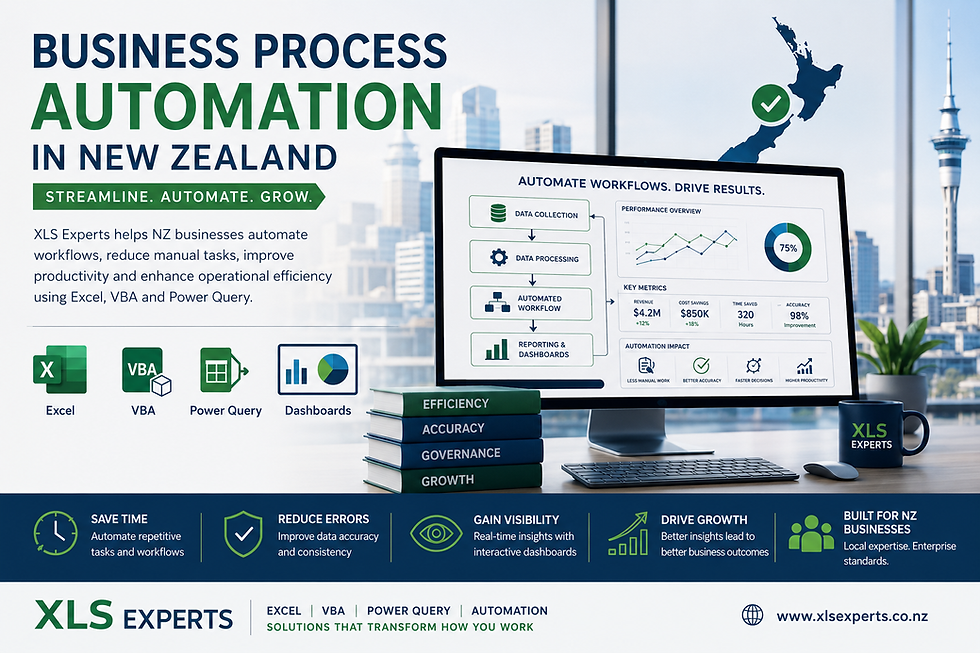
Book a free, no-obligation consultation with an XLS Expert NZ today. We'll analyze your current processes and show you exactly how custom dashboards, automated macros, and smart formulas can save you hours every week, reduce errors, and give you the clear insights you need to grow your business with confidence.
Click here to get started and unlock your business's full potential. 🚀


Comments