
Boosting Business Productivity with Custom Excel Solutions in New Zealand
- Mathew
- Apr 13
- 5 min read
Introduction
Across New Zealand enterprises, Excel remains one of the most widely used business tools. From financial modelling and operational reporting to supply chain analysis and project tracking, Excel sits at the centre of many business processes. However, as organisations scale, traditional spreadsheet usage often becomes inefficient, error-prone, and difficult to govern.

Large organisations frequently encounter challenges such as fragmented reporting, manual data consolidation, inconsistent formulas, and a lack of auditability. When these issues persist, productivity declines and decision-making slows.
Custom Excel solutions—built with structured design, VBA automation, and advanced data integration—can transform Excel from a basic spreadsheet into a controlled business application. With the right architecture and governance, Excel becomes a powerful productivity platform capable of supporting enterprise operations across New Zealand.
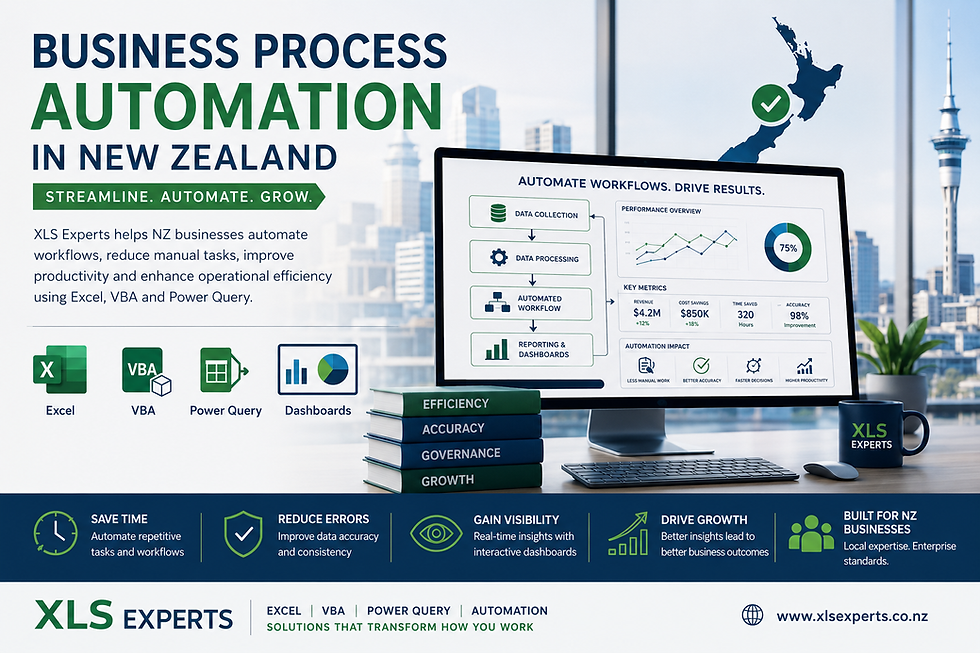
This is where specialised Excel development partners such as XLS Experts New Zealand help organisations design reliable, scalable Excel systems that automate workflows, streamline reporting, and enable faster, more accurate decision-making. 📊
Why Do Enterprises Still Rely on Excel?
Despite the availability of large ERP and analytics platforms, Excel remains indispensable in many organisations.
Key Reasons
Flexibility for modelling complex business scenarios
Rapid development compared with ERP customisation
Familiarity across finance, operations, and engineering teams
Strong integration capabilities with databases and reporting systems
However, the issue is not Excel itself. The challenge arises when spreadsheets grow organically without structure, governance, or automation.
Without professional design, enterprises often face:
Multiple versions of the same report
Manual copy-paste data workflows
Spreadsheet errors affecting financial outputs
Lack of audit trails and controls
Time lost on repetitive administrative work
Custom Excel solutions address these challenges by introducing structured automation and enterprise-level design principles.
What Are Custom Excel Solutions?
Custom Excel solutions refer to professionally designed spreadsheet systems that automate business workflows using:
Excel VBA development
Power Query data automation
Advanced formula frameworks
Dashboard and reporting systems
Database or ERP integrations
Instead of isolated spreadsheets, organisations gain a controlled application built within Excel.
These solutions often include:
Automated reporting engines
Controlled data entry interfaces
Integrated financial models
Project performance dashboards
Automated reconciliation tools
For many New Zealand enterprises, this approach significantly improves operational productivity without requiring large-scale IT system changes.
The Enterprise Productivity Problem
Large organisations often manage vast amounts of operational and financial data. Without structured automation, Excel-based workflows become inefficient.
Common Enterprise Pain Points
1. Manual Reporting Processes
Finance teams frequently spend hours consolidating data from multiple systems into Excel before preparing reports.
2. Spreadsheet Errors
Uncontrolled spreadsheets often contain hidden formula errors that affect forecasts, budgets, and operational decisions.
3. Version Control Issues
Different teams may maintain their own spreadsheet versions, leading to inconsistent outputs.
4. Limited Auditability
Without structured logic or automation, it can be difficult to trace how numbers were generated.
5. Inefficient Data Integration
Enterprise systems such as ERP, CRM, and finance databases often require manual export processes.
Custom Excel development addresses these problems by introducing automation, structured architecture, and reliable data integration.
How VBA Automation Improves Productivity
Excel VBA (Visual Basic for Applications) enables organisations to automate complex workflows directly within Excel.
Instead of manual processes, VBA can:
Automatically import data from external systems
Run financial calculations and validation checks
Generate formatted reports instantly
Control user inputs through custom interfaces
Automate repetitive tasks across multiple files
Example Enterprise Workflow
A finance department may need to consolidate monthly data from multiple operational systems.
Without automation:
Data is exported manually
Files are merged
Reports are prepared manually
With a custom Excel solution:
Data imports automatically
Validation checks run automatically
Reports generate instantly
What once took several hours can often be completed in minutes.
This is where productivity gains become measurable.
How Excel Integrates with Enterprise Systems
One reason Excel remains valuable for enterprise workflows is its ability to integrate with other platforms.
Custom solutions can connect Excel to:
ERP systems
SQL databases
Financial platforms
Data warehouses
Cloud data sources
Using Power Query and VBA, Excel can retrieve live data, clean it, and transform it automatically.
This allows enterprises to build powerful reporting systems without the need for complex IT development.
For example:
Infrastructure teams can track project budgets
Finance departments can automate variance reporting
Operations teams can monitor supply chain performance
All within a controlled Excel environment.
Enterprise Dashboards for Decision-Making
One of the most valuable outcomes of custom Excel development is improved visibility.
Well-designed Excel dashboards allow executives and operational leaders to monitor business performance in real time.
Typical Dashboard Capabilities
Financial performance tracking
Budget vs actual comparisons
Operational KPI monitoring
Resource utilisation tracking
Project progress reporting
Interactive dashboards enable decision-makers to explore data quickly without needing to manually analyse raw spreadsheets.
For enterprises operating across multiple departments or regions, these dashboards can become a central reporting tool.
Why Not Just Build Everything in ERP?
A common question among enterprise leaders is whether Excel solutions should be replaced with ERP system customisation.
The answer often depends on cost, speed, and flexibility.
ERP Customisation Challenges
Long development timelines
High implementation costs
Limited flexibility for modelling
Dependence on vendor development cycles
Excel automation offers a complementary solution.
Excel Advantages
Rapid deployment
Lower development cost
Highly flexible modelling capability
Immediate productivity improvements
Many New Zealand enterprises use Excel automation as an operational layer that complements ERP systems rather than replacing them.
When Should a Business Engage Excel Experts?
While Excel is widely used, building reliable enterprise solutions requires specialist expertise.
Professional Excel developers design systems that include:
Structured architecture
Robust error handling
Secure user interfaces
Documented code and maintainability
Governance and version control
This transforms Excel from an ad-hoc spreadsheet environment into a maintainable enterprise tool.
An experienced Excel consultancy ensures the solution is scalable and aligned with organisational workflows.
The Role of XLS Experts in New Zealand
XLS Experts specialises in designing enterprise-grade Excel solutions for organisations that depend on data-driven operations.
Their work typically includes:
Custom Excel application development
VBA automation and workflow optimisation
Enterprise reporting dashboards
Financial and operational modelling
Data integration with business systems
Rather than offering training or basic spreadsheet support, the focus is on building robust automation tools that improve business productivity.
These solutions help organisations reduce manual work, improve reporting accuracy, and support faster decision-making.
Conclusion
Excel remains a critical business platform across New Zealand enterprises. However, traditional spreadsheet usage often leads to inefficiencies, errors, and governance challenges.
Custom Excel solutions transform Excel into a powerful automation and reporting system. Through VBA development, data integration, and dashboard design, organisations can streamline workflows, improve data accuracy, and significantly increase productivity.
For enterprises seeking scalable, reliable Excel systems, partnering with specialists such as XLS Experts New Zealand ensures that spreadsheet environments evolve into professionally engineered business tools.
The result is a more efficient organisation where data flows smoothly, reporting becomes reliable, and decision-makers gain faster access to the insights they need to lead with confidence.


Comments