Related services: live Excel data connections · Excel in enterprise environments
Introduction: The Hidden Risk of Manual Excel Processes in Enterprise Environments
Across New Zealand’s large organisations—insurers, utilities, infrastructure providers, financial institutions, and national service brands—Excel remains deeply embedded in operational and financial workflows.
It powers:
- Monthly financial reporting packs
- Budgeting and forecasting models
- Pricing tools
- Risk registers
- Claims analysis
- Engineering and asset management calculations
- Regulatory submissions
Yet in many enterprises, these spreadsheets are still largely manual.
Teams copy and paste data from ERP systems.Reports are rebuilt each month.Formulas are overwritten.Version control is inconsistent.Critical processes depend on one or two key individuals.
At scale, this is not a productivity issue—it is a governance risk.
Manual Excel processes introduce:
- Calculation errors
- Inconsistent reporting logic
- Audit gaps
- Delays in decision-making
- Dependency on key staff
- Uncontrolled spreadsheet proliferation
For enterprise leaders in finance, operations, and IT, the issue is not whether Excel should be used. It already is. The real question is:
How do we transform Excel from a manual risk into a governed, automated enterprise asset?
The answer lies in structured Excel automation using VBA, Power Query, and professionally designed dashboards—delivered with systems thinking and governance in mind.
The Enterprise Problem: When Excel Outgrows Its Original Design
Excel often begins as a practical solution to a specific need—a pricing calculator, a forecast model, a reporting workbook.
Over time, that workbook evolves:
- Additional sheets are added
- Logic becomes more complex
- Data volumes increase
- Multiple business units rely on it
- It becomes mission-critical
However, the underlying architecture frequently remains informal.
Common Enterprise Symptoms
- Manual data extraction from ERP systems
- Repetitive month-end processes
- Multiple versions of the same file in circulation
- Broken formulas after staff changes
- Inconsistent assumptions across departments
- Limited audit traceability
In highly regulated sectors in New Zealand, this creates unacceptable exposure.
The challenge is not Excel itself. It is unmanaged Excel.
Why Excel + VBA Remains a Strategic Enterprise Tool
Some enterprises consider replacing complex spreadsheets with ERP customisations or full system builds. In certain cases, that is appropriate. However, in many scenarios, Excel automation offers a more cost-effective, agile, and maintainable solution.
When Enterprise Excel Automation Makes Strategic Sense
- Rapid deployment is required
- ERP customisation would be costly or slow
- Business logic changes frequently
- End-users require flexibility
- Finance or operations teams need control
- Reporting logic must be transparent
With proper design and governance, Excel combined with VBA becomes:
- A structured application layer
- A controlled reporting engine
- A governed calculation environment
- A front-end interface to enterprise data sources
It shifts from “spreadsheet” to “business application built in Excel.”
Core Tools of Enterprise Excel Automation
1. VBA (Visual Basic for Applications)
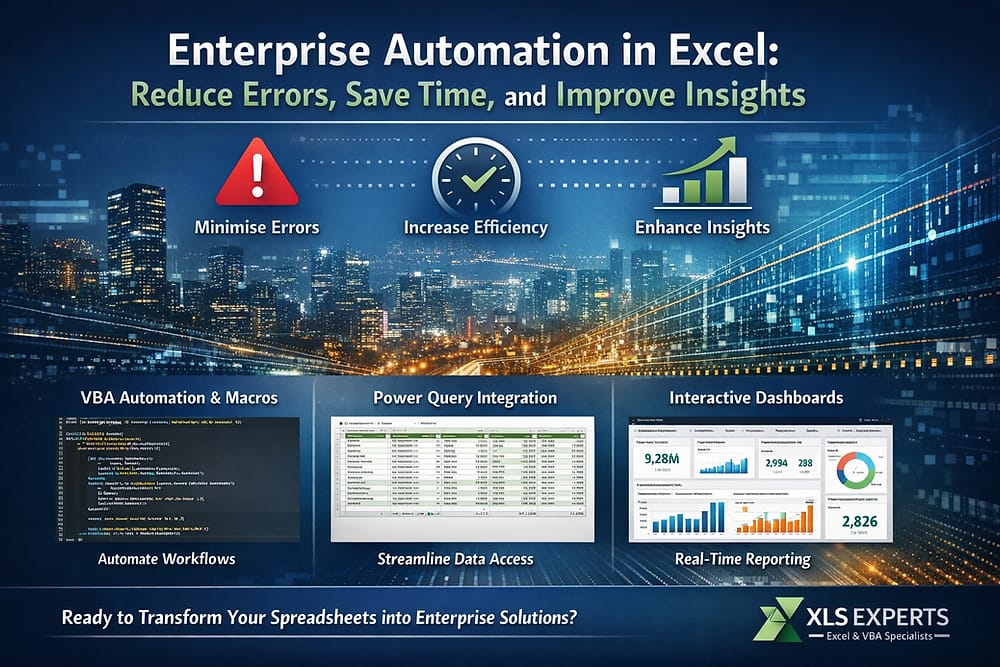
VBA enables the creation of structured, automated workflows within Excel.
It supports:
- Automated data imports and exports
- Controlled user interfaces
- Validation rules
- Process locking
- Error handling
- Button-driven workflows
- Secure logic protection
In enterprise settings, VBA transforms Excel from passive workbook to controlled application.
Enterprise benefit:Eliminates repetitive manual tasks and reduces user error exposure.
2. Power Query for Structured Data Integration
Power Query enables robust, repeatable data extraction and transformation from:
- ERP systems
- SQL databases
- Data warehouses
- CSV exports
- Cloud data sources
Instead of manual copy-paste processes, Power Query creates structured data pipelines with refresh logic.
Enterprise benefit:Consistent, repeatable data transformation that improves reliability and auditability.
3. Enterprise Dashboards and Reporting Frameworks
Well-designed Excel dashboards allow decision-makers to:
- Monitor KPIs in real time
- Analyse trends
- Identify outliers
- Drill into supporting data
When built correctly, dashboards become executive tools—not presentation sheets.
Enterprise benefit:Faster, more confident decision-making based on validated data.
How Enterprise Excel Automation Works in Practice
Professional Excel automation follows structured system design principles.
Step 1: Process Analysis
Before writing code, the current workflow is mapped:
- Where does data originate?
- Who touches it?
- Where do errors occur?
- What are regulatory or audit requirements?
- What decisions rely on this output?
This ensures automation solves the right problem.
Step 2: Architecture and Governance Design
Enterprise Excel solutions are designed with:
- Structured file architecture
- Clear separation of raw data and logic
- Controlled user input areas
- Protected calculation layers
- Error-handling protocols
- Documentation
This distinguishes professional automation from ad-hoc spreadsheet editing.
Step 3: Automation Development
Using VBA and Power Query:
- Data extraction becomes automated
- Calculations are locked and validated
- Report packs generate with one action
- Data refresh processes are controlled
- User actions are simplified
Step 4: Testing and Risk Control
Enterprise-grade Excel applications are tested for:
- Data integrity
- Edge case handling
- Error resilience
- Performance at scale
This reduces operational risk and reliance on individuals.
Real-World Enterprise Use Cases in New Zealand
Financial Reporting Automation
- Automated consolidation of monthly financial data
- ERP extraction and transformation
- Generation of board-ready reporting packs
- Controlled sign-off processes
Outcome: Reduced reporting cycle times and increased audit confidence.
Pricing and Commercial Modelling
- Standardised pricing tools across business units
- Automated scenario modelling
- Controlled margin calculations
- Risk parameter validation
Outcome: Consistent pricing decisions and reduced revenue leakage.
Claims and Risk Analysis
- Structured import of claims data
- Trend and outlier identification
- Dashboard reporting for management
- Reduction in manual analysis time
Outcome: Faster risk identification and improved operational insight.
Engineering and Infrastructure Calculations
- Complex asset lifecycle modelling
- Standardised engineering templates
- Automated compliance reporting
Outcome: Improved reliability and reduced calculation errors.
Measurable Enterprise Outcomes
When Excel automation is implemented professionally, organisations typically achieve:
1. Reduced Errors
- Elimination of manual data handling
- Locked calculation logic
- Controlled input fields
- Validation rules
Error rates decline significantly, improving governance and confidence.
2. Time Savings
- Month-end processes reduced from days to hours
- Automated refresh of reporting packs
- Removal of repetitive manual tasks
Finance and operations teams can focus on analysis rather than administration.
3. Improved Insight Quality
- Standardised metrics across departments
- Real-time refresh capability
- Structured dashboards
- Scenario modelling capability
Decision-making becomes faster and evidence-based.
4. Reduced Key Person Risk
Enterprise Excel automation removes reliance on undocumented spreadsheets owned by individuals.
Processes become:
- Documented
- Transferable
- Maintainable
Frequently Asked Questions
Is Excel suitable for enterprise-level automation?
Yes—when designed professionally. Excel combined with VBA and Power Query can function as a governed application layer integrated with ERP and database systems.
How does Excel automation compare with ERP customisation?
ERP development is often costly, slow, and less flexible for rapidly changing business logic. Excel automation can provide a controlled, lower-cost alternative for reporting and modelling layers without altering core systems.
Can Excel integrate with enterprise systems?
Yes. Excel connects to SQL databases, ERP exports, APIs, and structured data sources using Power Query and VBA automation.
Is Excel automation secure and auditable?
When built correctly:
- Calculation areas are protected
- Logic is documented
- Data refresh is controlled
- Version control protocols are implemented
This significantly improves audit readiness compared to unmanaged spreadsheets.
The Role of a Professional Excel Automation Partner
Enterprise automation requires more than formula expertise.
It requires:
- Systems thinking
- Understanding of governance frameworks
- Knowledge of ERP environments
- Risk management awareness
- Maintainable code development
XLS Experts delivers structured Excel, VBA, and Power Query solutions to large organisations in New Zealand and internationally.
The focus is not ad-hoc spreadsheet fixes. It is building enterprise-grade Excel applications that:
- Integrate with existing systems
- Reduce operational risk
- Improve reporting reliability
- Scale with business growth
Conclusion: Transform Excel from Risk to Strategic Advantage
Excel is already embedded in your enterprise environment.
The strategic question is whether it operates as:
- A collection of fragile manual spreadsheetsor
- A governed, automated reporting and modelling platform
Enterprise automation in Excel reduces errors, saves time, and improves decision quality. When implemented with proper architecture, VBA control, Power Query integration, and dashboard design, Excel becomes a reliable enterprise tool aligned with governance and scalability requirements.
For large New Zealand organisations seeking structured Excel automation, the opportunity is clear:
Transform existing spreadsheet dependency into controlled, measurable, and scalable business systems.
XLS Experts provides the professional capability to deliver that transformation.