
Excel Solutions for Infrastructure Project Management in New Zealand
- Mathew
- Mar 24
- 4 min read
Introduction
Infrastructure projects across New Zealand involve complex planning, multi-stakeholder coordination, strict budgeting, and continuous performance monitoring. From transport networks and utilities to large civil engineering developments, project teams must manage significant volumes of operational, financial, and engineering data.
However, many organisations still rely on disconnected spreadsheets, manual reporting processes, and fragmented project tracking tools. These limitations often lead to delayed reporting, data inconsistencies, and reduced visibility for decision-makers.

Enterprise-grade Excel automation solutions—including advanced models, dashboards, and workflow automation—can transform infrastructure project management. With structured design, governance, and integration capabilities, Excel combined with VBA and Power Query can function as a reliable operational system that supports large infrastructure programmes.
Professional Excel development helps infrastructure organisations streamline planning, automate reporting, improve cost visibility, and strengthen governance across project portfolios.
Why Infrastructure Projects Require Structured Data Management
Infrastructure project environments generate large volumes of structured and semi-structured data, including:
Project budgets and cost forecasts
Procurement and contractor tracking
Resource allocation and workforce planning
Schedule monitoring and milestone tracking
Engineering data and performance metrics
Risk and compliance reporting
Without structured automation, teams often face several operational challenges:
1. Fragmented reportingProject information is stored across multiple spreadsheets and systems, making consolidated reporting difficult.
2. Manual processesTeams spend significant time preparing weekly or monthly reports.
3. Limited visibility for leadershipSenior stakeholders require reliable dashboards that summarise project performance across portfolios.
4. Data quality risksManual data entry increases the probability of calculation errors and inconsistent reporting logic.
Well-designed Excel solutions address these issues by introducing structure, automation, and governance.
How Excel Automation Supports Infrastructure Project Management
Modern enterprise Excel solutions are far more than simple spreadsheets. With structured architecture, Excel can operate as a flexible operational platform for infrastructure teams.
Key capabilities include
Automated cost tracking models
Dynamic infrastructure project dashboards
Resource planning tools
Integrated project reporting frameworks
Data consolidation from multiple systems
Automated validation and audit controls
Using VBA automation and Power Query, Excel models can pull data from:
ERP systems
Financial databases
project management tools
asset management systems
This allows infrastructure organisations to create centralised reporting environments without the cost or complexity of custom enterprise software development.
Infrastructure Planning and Budgeting with Advanced Excel Models
Infrastructure planning requires continuous financial oversight and accurate forecasting.
Excel-based planning tools can support:
Multi-year capital planning
Scenario modelling
Project cost forecasting
Budget vs actual variance tracking
Example: Capital Project Planning Model
An automated Excel planning model may include:
Cost categories for labour, materials, and subcontractors
Automated escalation calculations
Capital allocation by programme
Real-time budget variance reporting
With automation in place, project leaders gain faster visibility into cost trends and funding requirements.
Excel Dashboards for Infrastructure Project Monitoring
Enterprise infrastructure teams require real-time insights into project performance across multiple initiatives.
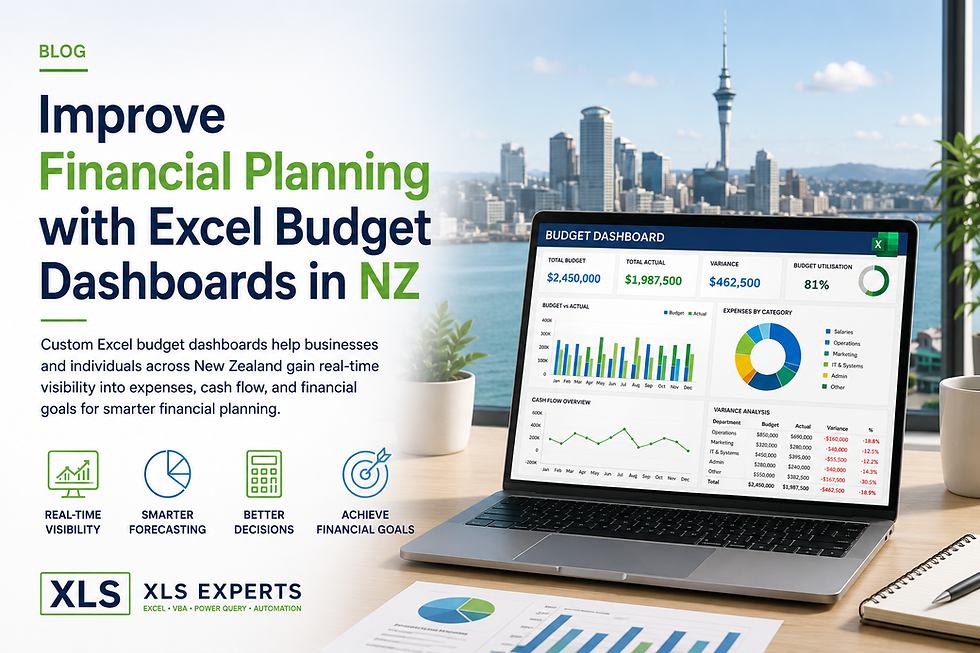
Interactive Excel dashboards provide visual reporting that supports operational decision-making.
Typical dashboard components include:
Project status indicators
Budget utilisation metrics
Resource allocation summaries
Schedule performance indicators
Risk and issue tracking
Dashboards can automatically refresh using Power Query integrations, eliminating the need for manual updates.
This allows executive teams to monitor project portfolios with greater clarity and confidence.
Read More:-
Automating Project Reporting with VBA
One of the largest inefficiencies in infrastructure project environments is manual report preparation.
Project managers often spend hours compiling weekly or monthly updates for stakeholders.
VBA automation can eliminate this problem.
Automated workflows can:
Consolidate project data across worksheets
Generate standardised reports
Export reports into presentation-ready formats
Automatically distribute updates to stakeholders
The result is a consistent reporting framework that improves transparency and reduces administrative workload.
Integrating Excel with Enterprise Systems
Infrastructure organisations frequently operate within complex technology environments.
Excel automation solutions can integrate with systems such as:
Financial management platforms
procurement systems
asset management software
project management platforms
Using structured data connectors and Power Query integrations, Excel can act as a reporting and analysis layer on top of existing enterprise systems.
This approach allows organisations to:
Avoid costly ERP customisation
Maintain flexible reporting capabilities
Rapidly adapt models as project requirements evolve
Governance and Auditability in Enterprise Excel Models
Large infrastructure programmes require strong governance and compliance controls.
Professionally developed Excel systems include structured safeguards such as:
Controlled input fields
Locked formulas and protected calculations
Version control frameworks
Data validation rules
Automated error detection
These features ensure that Excel models remain reliable, maintainable, and auditable within enterprise environments.
Proper governance transforms Excel from an informal tool into a trusted operational system.
Why Infrastructure Organisations Work with Excel Specialists
While Excel is widely used across engineering and project teams, enterprise-scale automation requires specialist expertise.
Professional Excel developers design solutions that include:
Structured workbook architecture
scalable VBA automation frameworks
performance optimisation for large datasets
secure integration with enterprise systems
maintainable code and documentation
Without this expertise, internally built spreadsheets often become difficult to maintain, prone to errors, and challenging to scale.
Working with experienced Excel specialists ensures the solution remains stable, governed, and aligned with organisational processes.
Common Questions About Excel for Infrastructure Project Management
Can Excel handle large infrastructure datasets?
Yes. With proper design, Power Query data pipelines, and optimised models, Excel can manage substantial project datasets efficiently.
Is Excel suitable for enterprise-level project reporting?
When professionally developed, Excel can provide highly structured reporting systems with governance, validation, and automation.
How does Excel integrate with existing project systems?
Excel can connect to ERP systems, financial databases, and project management tools using Power Query and structured data connections.
When should infrastructure teams consider Excel automation?
Organisations should consider Excel automation when:
reporting processes are highly manual
project data exists across multiple systems
leadership requires better visibility across project portfolios
existing enterprise systems lack flexible reporting tools
Conclusion
Infrastructure project management in New Zealand demands reliable planning tools, accurate financial oversight, and consistent performance monitoring.
Enterprise-grade Excel automation solutions provide a powerful and flexible way to manage project data, streamline reporting, and improve decision-making across large infrastructure programmes.
When designed with structured architecture, VBA automation, and integration capabilities, Excel becomes far more than a spreadsheet—it becomes a governed operational platform.
Organisations seeking to modernise infrastructure project management workflows often partner with XLS Experts to develop scalable Excel solutions tailored to enterprise environments.
By combining deep Excel expertise with systems thinking, these solutions help infrastructure teams deliver projects with greater transparency, efficiency, and control.


Comments